Showing posts with label Teaching Tips. Show all posts

Tuesday, July 16, 2024

Take My Advice: If You Have Trouble With Tech

Sometimes technology betrays us! It’s happened to us all, usually at a point when we are actively trying to seem competent. If you ALWAYS have problems, however, there might be something on your end you could change. There are some common problems I’ve identified from my time supporting faculty and graduate students with technical issues; these issues not only also affect students (and thus could be usefully passed on to them for their own tech needs) but also characterize a decent portion of my own issues when I stop to reflect. Some of the biggest below:

You’re going too fast. Technology can often allow us to go faster! But going too fast with a technology can not only lead you to make mistakes (guilty), it is also sometimes simply too fast for the tool to keep up. For example, Canvas often needs a refresh to show an updated grade when grading quizzes– it simply won’t update its view for you immediately upon the updating of a quiz grade. And, it’s of no use to start reviewing New Analytics in Canvas immediately; it takes time for it to analyze student activity and grade data and present it to you. It can help if you think of technology not as an instant communicator, but as a collaborator who might take a little time to get back to you. 


You’re using the wrong browser/old hardware. Imagine the software you’re trying to use is a gold-plated, top of the line refrigerator. It’s very nice, it functions perfectly, and it has a lot of features that you’re looking forward to using. Now imagine you give that refrigerator to a Pekingese and tell it to carry it up the stairs, install it, and get it functioning.


A Pekingese who would try really hard, though. Image by No-longer-here via Pixabay.


Not only is that Pekingese not going to be able to lift that refrigerator, it’s also not going to have any idea of what you’re talking about. Using incompatible hardware or software to get your tool working is similar– generally, it’s either not strong enough to carry the task, it doesn’t have the capacity to understand what it would need to understand to carry out the task, or both. 


You’re using a nonstandard tool for the job. Imagine that refrigerator again. It has a door, right? It plugs in. You put food in it. All these qualities are very similar to a microwave, but if you try to use the refrigerator as a microwave, you’re going to be disappointed. Similarly, looking at what a tool was designed for and evaluating if that is in line with your ambitions for the tool can be helpful. That’s not to say you can’t use a tool at sideways purposes– I would argue half of my discussions of Twine are sideways to its intent. (Incidentally, the medium of Interactive Fiction also has a lengthy history of using tech in ways contrary to its intention for creative purposes, so I feel I’m part of a rich tradition.) However, you’ll experience less frustration if you do so intentionally, rather than realizing that you’re trying to give feedback with a software that’s really only meant for file sharing, or facilitate group collaboration with a tool that only allows one or two users at a time. 


I’m in an interesting predicament at the moment where I’m trying to use AI tools to complete some data analysis. I am reading about good prompting strategies and trying to use them. I’m trying to build a foundation and then build on top of it. I’m trying multiple different strategies to see if I can come to some different results, even if only to give me some insight into how to better get the results I want in future. Yet, at the moment, it’s been more time checking and evaluating and figuring out where it’s getting its ideas than actual time saved in the analysis from the way I normally do it. 


I don’t think I’ve been going too fast, although I admit sometimes I see the demos of how quickly AI can pop together information and read reports of how it’s dramatically cutting time spent on certain tasks and I’m like “shouldn’t it just be able to do this for me already??” My hardware and software don’t seem to be the limiting issue– it’s not that it’s too slow, it’s that the conclusions are incorrect or partially correct or inventing some information that is not quite there. And the tool by all reports seems to be the tool for the job (see above demos), although perhaps a lesson I may end up learning is that some parts of the job are beyond it. I think the issue is actually a number 4, which is that the tool is more complicated to use than I am treating it as, and I don’t know enough yet about using it effectively. Straightforward and simple UX is powerful, but it can come at the expense of tailored, expert usages– think about what can be achieved by a pro using HTML to create a website versus a novice using Blogger or WordPress, or by a musician versus the prerecorded tracks on a child’s toy keyboard. The problem I’m trying to solve, then, may simply be one that is more “improvisational jazz” than “Old MacDonald.”


The strategy that's been most helpful to me so far is one that can be difficult for a lot of us to use: ask someone else to make an attempt at it, and learn from what they do. When in doubt, have someone else try! Either they have success, which you can learn from, or they don't, in which case you can at least feel a bit better that you are not alone.


Any of these tech issues plaguing you, or others? Let me know in the comments!

Sunday, March 3, 2024

Plug and Play Miniseries Lesson Spotting with AI: Designing Prompts (but not like that)

Old fashioned television with flowers.
Photo by Işıl via Pexels.

In my last feature in this series, I talked about using GPTs to help in the process and clarification of your writing. This entry is a bit of a cheat in this series, since it doesn't actually involve prompting a GPT at all. 

Good UX always inspires me to think about how to use some of these strategies more broadly. I remember being mildly affronted during the CITL reading group I attended when I first became interested in better teaching-- did I spend that whole several weeks affronted? Apparently! Clearly it was challenging me in some useful ways-- because one of the resources we read discussed using advertising principles to make learning "stick."  Advertising? That soulless capitalist enterprise? Could help me teach the intellectually rigorous discipline of history? Pish-posh! 

Of course, the only thing we do if we eschew these strategies is ensure that what they're learning in our class presently doesn't seem quite as memorable as literally any reasonably well-crafted local commercial they saw roughly a decade ago, which is what I eventually realized as I considered the concepts that were "sticky" in my brain and why.

With that in mind, you might reflect on ways that new tools introduce themselves to you, and see if that sparks an idea about how you might in turn introduce a concept that is very familiar to you in a way that seems approachable to a new learner. I'll use the original starting page for ChatGPT as an inspiration to explain something, such as instructions or expectations for an assignment. One thing that is inherently challenging is to explain something you know very well to someone else. It can be more challenging than explaining something you only know kind of well., as you have to identify the most significant information out of all the information you know and explain it clearly.

Let's take a look at how ChatGPT introduced itself when I encountered it (this has since changed as public familiarity with the tool has increased):

Introduces the tool in three sections: Examples, Capabilities, Limitations
Original ChatGPT intro screen. Image via Datamation.

This screen introduces the tool by offering a breakdown of examples of things you could ask it ("Explain quantum computing in simple terms"), capabilities the tool has ("Remembers what user said earlier in the conversation"), and limitations the tool has ("May occasionally generate incorrect information.")

What if you tried a Examples, Capabilities, Limitations breakdown for assignment instructions?  I've seen many, many pagelong or multipage prompts for a paper that's only 3-5 pages long. Rather than paragraphs of context and/or admonitions based on past experiences ("12 point font and 1.5 inch margins this time-- I'm talking to you, Bradley"), what might it look like to organize a prompt arount the following structure: 

  1. Examples (of excellent work or strong approaches to the work),
  2. Needed Capabilities (of the deliverable students will produce), 
  3. Limitations (or parameters they need to work within to produce this work)

Obviously a prompt doesn't have to stay in this format-- I'm not suggesting that the original ChatGPT welcome page cracked some kind of fundamental educational code. But instructions that you find clear or helpful in introducing you to a new topic may be useful in turn to incorporate into your own teaching strategies. 

Tuesday, December 12, 2023

Plug and Play Miniseries Lesson Spotting with AI: Talking to Write

Old fashioned television with flowers.
Photo by Işıl via Pexels.

Despite widespread enthusiasm about having AI help generate content, that's not in my experience the best way to use it. One, it's doubtful it knows as much about what you want to convey on your topic as you do. Two, conversely, you're probably better at the content than you are at communicating it clearly. In this post, I'll offer a few suggestions for how to use AI to help with writing and clarity, which could be useful for both instructors trying to create educational/assignment content and students attempting to frame their ideas for coursework.

I tend to think as I talk-- the talking is the thinking, and talking through a topic helps me write it down. When I'm preparing to lead a workshop or give a presentation, I often begin by recording myself trying to give it off the cuff based on the ideas I have right now before I start outlining or writing things down. Then, I use the talk-through as the basis for the outline or script or notes. Sometimes I do this in the opposite direction; a brief and sketchy outline that I talk through and then edit based on what I said. In the past, I've always done this using Zoom and then watching back the recording.

More recently, I've started using a combination of two technologies to begin creating written work. First, I speak the ideas into text-to-speech, like dictation.io. Then, I take that text and ask ChatGPT to make it grammatically correct and separate it into sensible paragraphs. This is so much easier for me than fully typing out all the same ideas-- I can talk just about as fast as I think, while I am a decidedly slower typer despite years of practice at Typing Tutor. This strategy works best if you speak in small chunks and confirm that dictation.io is absorbing it all; I've noticed dictation.io does not capture everything I say if I speak for a long time. It's also important to communicate clearly with ChatGPT or your AI chatbot of choice-- it will attempt to smooth the language and potentially add (too many) adjectives by default, so if you want language adjustments, give clear parameters; if you just want the text to be given appropriate puncutation and capitalization, say so.

Most recently, I'm intrigued by some of the AI offerings within Zoom to transcript and summarize meetings; in theory, this could mean that a recorded first draft could have a relatively coherent text component to work from. If you have a paid Zoom account, it's worth playing with these features and seeing if they do anything for your process.

Saturday, November 25, 2023

Plug and Play Miniseries: Lesson Spotting with AI - Think Pair Share

Old fashioned television with flowers.
Photo by Işıl via Pexels.

Think-pair-share-- it's the easiest, most go-to way to get a conversation going in a room of people. It works well in rooms that don't have flexible seating for gathering into larger groups, it's a low amount of investment in setup and explanation, and it gives literally everyone in the room a chance to talk (unless one half of the pair is either real shameless or charmingly enthusiastic). And if done well, it's an "activity" that makes such intuitive sense it doesn't have to feel like an "activity."

If you haven't done think-pair-share before as a leader or participant, this description of the activity and FAQ about it is a nice introduction.

Normally, think-pair-share is conducted by humans (for NOW), but an AI chatbot can be one half of your pair or a supplement to a human pair. This was one of the first uses of ChatGPT I wondered about when it became a popular subject of conversation, and I wasn't alone! Several pieces offer ideas about incorporating AI into your Think-Pair-Share time (for example, it's one of Ditch that Textbook's 20 Ways to Use [Chatbots and Artificial Intelligence] as a Tool for Teaching and Learning). Most treatments of this idea I've seen are riffing off of this widely shared tweet by Sarah Dillard.

[An aside: one of the really funny things to me about the surge in conversations about AI in teaching is how often I now see people talking, writing about, and sharing tweets as though they're academic articles in circles where that might never have been the case before. When something is very new, many standard expectations of what kinds of things are acceptable or useful to cite shift; I imagine this is less wondrous to folks doing more present-focused work, who have frequently encountered the wonderful world of citing social media before, than to those of us who spent seven years citing while fighting microfilm-induced nausea.]

For some real zaniness, and for more insight into the tools themselves, you could have students fire up two chatbots and give them instructions, then feed their responses to one another. This can take careful prompting that will depend on the topic of discussion; it also may shed some light on the boundaries of the chatbots-- it's likely that their conversation will become a bit circular, as they tend to declare everything up front rather than have an evolving conversation (similar to some of the worst human small group activities I've been part of, really).

For more complex use of a Think-Pair-Share type framework, I love this set of options from Acadly, which suggest alternatives to insert into the process like think-write-pair-share, which encourages fuller consideration of the issue before the pair stage, and think-vote-pair-vote-share, which would work well for a question on which minds are likely to change after some collaboration or conversation on the topic. Generative AI could easily be incorporated into these steps to provide some real value; for example, comparing the written thoughts in think-write-pair-share with how ChatGPT might respond to the prompt, or asking the chatbot for reasons why someone might disagree with one's original vote in the think-vote-pair-vote-share framework.

Tuesday, October 31, 2023

Plug and Play Miniseries: Lesson Spotting with AI

Old fashioned television with flowers.
Photo by Işıl via Pexels.
If you're part of the educational space, you've probably noticed the tumult about artificial intelligence and AI chatbots and what they mean for how we teach. I'm not going to round it all up here because there's lots of other places to read about it, but suffice it to say there's a lot of chat about what the surge in AI tools and their availability, particularly natural language processing tools like ChatGPT, means for things like academic integrity, assessment, and what it means to be well-educated, or to produce good and ethical writing. 

Naturally, nobody is more into AI than historians! Just kidding, they hate it. At least, that's what I've observed in an entirely unscientific study in which I read an article about this issue and observe what people with "History" in their job titles tend to say. Obviously this is not true across the board, but it does feel as though the novelty of the past several months has been recieved as a harbinger of doom rather than anything at all helpful. 

Undoubtedly skepticism is justified, even beyond the issues of plagiarism and equity and  scary future dystopiae (ChatGPT told me the correct word here is "dystopias," which I agree with and have also rejected for reasons of vibes). For example, I gave ChatGPT-3 Jourdan Anderson's letter a while back, and it's not great at understanding satire-- it read Anderson as deeply sincere, which is, as you may know, not the best reading of this source. Read it yourself if it's new to you and see what you think the author intends! Moreover, it also makes stuff up, which as you might have guessed, can be a problem. It's great at assembling a bibliography, for example-- I tried it for sources about one of my main subjects of my disserations, Joe F. Sullivan, and it came up with a handy list. However, as Aaron Welborn notes on the Duke University Libraries blog, it's also wildly capable of making up sources out of thin air! So, great at making a bibliography, not so great at making a bibliography of sources guaranteed to actually exist. It also can't always be trusted even just with making a list-- for example, of presidents. That's just how it works. So it's only really a starting point you then need to guess and check. And let's not forget "Historical Figures Chat", which attempted to make AI chatbots of notable historical figures based on ChatGPT, thus incorporating some ahistorical and incredibly odd "PR nonsense" into responses from multiple architects of historical atrocities. (This tool would have been an interesting concept to ponder in my iteration of the Fiction and the Historical Imagination class, in that  many of the less valuable approaches to historical fiction that we looked at dealt with a cultural penchant for believing we can know a person in the past, and mythologizing them based on the image we've created of them, and also in that this thing is effectively creating very specific little historical fictions). 

But! As you probably know, my wheelhouse is less locking down and preventing people from using stuff and writing dramatic take-downs of concepts and more about poking into and exploring what things can be good for, even if I, you, and/or the profession in general isn't psyched about them immediately. So, throughout the rest of the year, I'll be releasing a grab bag of AI-related options-- things teachers can do with the current AI tools without either totally forbidding them or making them central to your course creation. Some will help you plan to teach or create teaching materials, while others will be ways you can assign AI usage as part of the learning process. Some I've come up with, while others I'll feature have been suggested by others. 

I'll note here that due to my own biases as a trained humanist, I've avoided options that mostly boil down to "have the thing create a thing"-- I tend to find that the writing that text-focused AI tools produce is a little uninspired; many of them literally work by stringing together words in the manner and order that they are frequently strung together, so that's not terribly surprising. It's also the opposite of what I'm usually trying to accomplish in my classes. I've always tried to teach and to get students to find new connections, words that haven't been put together that often, ideas not commonly associated. As a result, the more the tool is creating something toward some sort of final product, the less the options for creating material are interesting to me, though there are undoubtedly uses in that line you can find recommended elsewhere.

Finally, if you have an AI usage for teaching you'd like to share, I'd love to hear from you! This series will be percolated on and added to periodically for as long as I keep thinking of or coming across uses that seem useful and exciting to me. 

Saturday, November 5, 2022

Enough About Me: Putting Your Source Analysis Template to Work

 So, you’ve created a source analysis activity using this template– congratulations! Now you’re ready to make it available to others so they can, you know, analyze the source. 

Regardless of which method you choose, the first step is the same: From the story view, you’ll click the title of your activity at the bottom left, then click “Publish to File” in the menu that appears. This will bring up a window where you can confirm what you’d like to name the file and where it should be saved; an HTML file will then be created.


The menu that appears when clicking the title of your Twine story. 

The nifty thing about an HTML file is that, if you open it in a browser like Google Chrome or Safari, it will open as your game, playable and looking just as you designed it to look. If you open it in Notepad or something similar, however, it will be code– code that you can use! 


This possibility gives us a lot of options for how we might wish to share our activity. I’ve talked about mechanisms for doing this a bit previously, but it’s worth revisiting here to address one of the spaces almost all teachers already have access to: an LMS space. If you don’t already have one, you can usually create one for free, and many receive these spaces from their institutions automatically.


Here is a quick walkthrough on how to incorporate a Twine activity into the Canvas LMS, with concept and code courtesy of Laura Gibbs:

  1. Create your HTML file. 

  2. Pop that file into the Files space. You could make that file visible to your class, but would probably rather hide it from students.

  3. In a new tab, open the Edit view of the Assignment or Page you’d like to add an activity to. 

  4. Click the </> button at the bottom right hand side of the Rich Content Editor in order to open the HTML view. 

  5. Copy and paste this code into the text entry field:

<iframe src="https://___/courses/___/files/___/download" width="100%" height="600"></iframe>

  1. Go back to the tab in which you have Files open. Right click on the HTML file you just uploaded and select “Copy Link Address” from the dropdown menu that appears. 

  2. Go back to the tab in which you have the Edit view of your assignment open. Select the bold text, right click, and paste the link you’ve just copied. 

  3. Save and publish. 


To see this in action, enroll in this demo Canvas space and experiment with the items available in the Source Analysis Activity module (feel free to use a pseudonym). Into this space, I’ve added some examples of what the Source Analysis Activity can look like incorporated into an LMS as a page or an assignment. In the process, I’ve taken the opportunity to update things that were or have broken (for example, the link to the Arbella Speech that I used in the first iteration of the Source Analysis Activity has since become defunct). More significantly, I edited some of the language to apply more clearly to the Canvas environment– students no longer need either so many or so vague instructions about how to turn in their answers if the activity is embedded within an assignment, for example; the activity also no longer needs to collect their name to associate with their answers, but it does still need to instruct students on how to collect and turn in their answers into a format that can be delivered to the instructor by Canvas. 


One of the beautiful things about distributing your activity via an iframe in an LMS is that it works well on mobile– even the process of copying and pasting my answers into the text box was relatively straightforward when testing this on my iPhone.


I hope this inspires you to try this out in your own courses, even if only on an unpublished demo page. If you need a Canvas space to experiment in, you can create a Free-for-Teacher account


If you have questions or get stuck at any of these steps, feel free to reach out in comments, or schedule a quick chat with me via my Calendly

Monday, February 28, 2022

Plug and Play: My Much-Anticipated Proclamation of Love for Rubrics

A hand holding colored pencils.
Grab your colorful writing implements! It's rubric time! Photo by @alyssasieb.

In the Spring of 2017, long before I ever thought about becoming a CITL grad affiliate or even particularly understood my own interest in teaching, I participated in the "Four Friends and a Book" reading group hosted by a CITL grad affiliate. We read parts of Ken Bain's What the Best College Teachers Do and discussed how Bain's ideas related to our own practices and disciplines. I recently rediscovered the discussion questions and my answers that we each prepared in advance of these sessions, and realized with a start that this was the beginning of the story I promised to tell you so long ago, about how I became a rubric enthusiast.

In the Beginning: A Skeptic

A selected excerpt from my notes on the Pre-Meeting Assignment for Meeting 3, in response to a question about whether rubrics were the tools of excellent teachers or merely time-consuming busywork:


  • I’m struck by “Students focus on grades. Sad, but true” (7)

  • I think this could have potential usefulness for conveying some of those learning aspirations that Bain references repeatedly, though the rubric’s obsessive focus on the grade is why I have shied away from using them before. They always seem to be something that promises to make the subjective objective by putting it in a chart—“mastery of material” or “effective use of evidence” is now clear and undeniably interpretable because it’s in a table!

  • I do like the idea of students helping to create these—that would give me a sense also of not only what they expect but what they know and what I could work on explaining.


This list of reactions struck me as interesting for a few reasons.


  • First, I am notorious (with myself, at least) for taking notes that have no content other than the quotation I thought was "interesting." Can you elaborate, past Leanna? No, I could, apparently, not.

  • Next, wow, was I skeptical! Rubrics "could have potential usefulness"-- that's Leanna-speak for "I guess you may have a small point and I don't like it."


My referenced qualm about the concept of rubrics, meanwhile, now strikes me as being a super-real critique of many rubrics I'd seen as a student and in teaching workshop examples, which I found impenetrable and not very specific, likely because they were trying to be all things to all graders--vague enough you could use them for many different projects or pieces of writing.

What is a rubric?

There are a few different styles of rubric, the most common three of which are well-described in Know Your Terms: Holistic, Analytic, and Single Point Rubrics. I tend to be most comfortable with an analytic rubric, which breaks down criteria of an assignment and helps the grader look at each in isolation to arrive at a total score. For example, the rubrics I’ve featured here previously in posts about teaching The Underground Railroad and The Crucible have been analytic rubrics. 

However, rubrics don’t have to be so detailed to be useful. My simplest "rubric" was one I scribbled quickly on every one of the weekly reflection papers for my Fiction and the Historical Imagination class. It began from the instructions from a document called Weekly Response Expectations:


  • Comment thoughtfully on reading.

  • Use evidence from reading.

  • Tie readings together, either within week or with previous weeks.


Which turned into a little abbreviated list that I added to the bottom of each paper with a brief comment about each:


  • Content

  • Analysis

  • Connections


If you had all three, you had full points. If you missed one or two, I noted they were missing. If you could have done more, I noted which needed a little attention. It's not that this is an example or perfect or ideal rubric making-- this could have been a lot better! But for a frequent and low-stakes assignment, it made life quite a bit easier to organize my thoughts in this way, and it seems to lead students toward some quite intriguing and freeform thinking, which was my hope and my goal.

What Changed?: Why I Like Rubrics

As you can probably tell, my feelings about rubrics changed from the time I was writing about their “potential usefulness” to the time I was creating a new and tailored rubric for every assignment I graded. This moment of reflecting on and talking about rubrics in concert with other teachers set off a chain reaction– I tried it, I liked it, and I didn’t want to go back. So, here's the verbs that rubrics help to do:

Refining

One of the critically helpful things about getting into rubric construction was how it forced me to refine how I was conceptualizing the assignment before grading it-- indeed, before I even assigned it. I wanted students to know how they were going to be graded before they started working on their assignments so that they knew how to prioritize their time and attention, what I was looking for, and so that they had the best chance of actually succeeding at that assignment's goals. So, I needed to figure that out, and often breaking things down into the rubric forced me to clarify my instructions and reflect on what was actually important-- every single one of four criteria cannot be fifty percent of the grade, so how much, exactly, should each be worth in the final score? How can I best express success in each criterion via words on a page to actually make them specific and helpful, rather than leaning on a vagueness like "mastery of material"-- what will showcase that they have mastered the material well, and can I just straight-up tell them to do that in the instructions and isolate it in the rubric?

Prioritizing

Past Leanna was affronted by how rubrics focused on the grade, whereas I apparently saw the process as being more about the mystical process of providing tailored feedback, with the grade hinging upon it but incidental to "the point." I now tend to see "the grade" and "the feedback" as two aspects of the process of grading (which is, obviously, not universal-- if you are ungrading or teaching in an ungraded context, great!). If you can simplify "getting to the grade," you have more time to tailor your feedback. This is something I mention frequently in my current role-- it's not that you are skimping on grading by doing it more quickly; rather, you're making more efficient the parts that are not personalized so that you can spend your time tailoring the more individualized feedback to the student, instead of just writing "Remember to proofread your paper before submitting" on thirty-seven separate papers and trying to ascertain after reading whether this feels like a B+ or an A- paper. 

Guiding and Aligning

When I was a teaching assistant, there was quite a bit of uncertainty regarding the role of the teaching assistant. In many ways, our sections were like our own class, and we ran them in fairly individualized ways. In others, we had little power to craft the class in our own image. The result was quite a lot of inconsistency, as an assignment you interpreted as being "about" one skill or content area might be interpreted by another teaching assistant for the same course to be "about'' a different skill or content area, and the professor leading the course might have still another take. Now that many of the folks reading my blog are likely professors or teachers of some type themselves (hooray!), you have the power to help the folks you are supervising or may one day supervise in your courses figure out how the heck to grade student assignments by creating a rubric and collaborating on minor edits as each assignment approaches in order to align assignment expectations between sections. In an individual way, making rubrics also helped me create consistency across assignments-- is there a reason why I think organization should be thirty percent of this project but only ten percent of the last one? If so, I should make that clear; if not, I should try to figure out how important organization should be to this type of project.


If you have strong feelings about rubrics (positive or negative), you’re obviously not alone. If you want to share them with me, feel free to drop them in the comments! 


Monday, January 31, 2022

Take My Advice: Four Tech-Fueled Efficiency Tips I Wish I'd Known Four Years Earlier

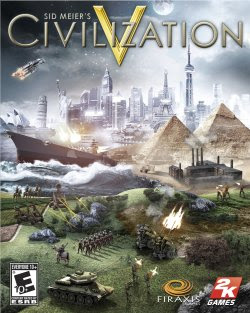
Front cover for the video game Civilization V.
If you'd like a tech-fueled inefficiency tip, this image should serve. 

I have always been technologically curious, but as one grows and changes, perhaps it is inevitable that one realizes what they didn't previously know or appreciate; so too have I realized that there were lots of technological possibilities that I was slow to take up. There seems to be an undertone of skepticism among folks in academic humanities circles about using technology, systems, or techniques for efficiency and an even greater fear of admitting one has engaged in such behavior, and so I perhaps unnecessarily developed an aversion to using it to support my research; though I was keen on incorporating tech into teaching, my process of doing so was admittedly prone to making my preparations more time-intensive rather than less (implied, I think, by my observation in this 2018 reflection on preparing my Fiction and the Historical Imagination course). Part of this, I think, was a symptom of a peculiarly humanistic tendency (or so it seems to me) to feel that to save time is to be cheating in some way; that if our work is valuable it is valuable because we agonized over it at great length, and can be said to have depended upon no one but ourselves and our incredible intellects. Ultimately, however, both students and the work, not to mention my own well-being, have been better served by embracing ways to make life a little easier and a little more collaborative. As a result, in this post, I'm reflecting on four things I came to appreciate in the last two years or so that I really, really wish I'd been doing the whole dang time.

Use OCR

Optical Character Recognition (OCR) is much better than it used to be, and it doesn't have to be perfect to be helpful. I think I became hesitant to try again with OCR after an ill-fated attempt at digitizing a single issue of Cosmopolitan magazine so I could "perform Digital Humanities" on it as an undergraduate. However, toward the end of my dissertation writing process and into my current work I've seen how improved the technology is and how much I now take it for granted. If you have archival photos or scans, try using Adobe Acrobat or a free OCR tool to recognize the text. This will not only make it more accessible if you are distributing it to students, but also make it easier for you to search for terms within it (which would have come in very handy had I figured this out earlier in my dissertation research process, as I worked almost entirely from archive photos and scans while writing).

Use Excel

You know you can use Excel for whatever you want? You don't even have to be a card-carrying "quantitative researcher." Here's one thing I now use all the time and which would have worked well in conjunction with the idea of OCRing things: the UNIQUE function, which can take a list of items and strip out all the repeats, leaving only one iteration of each name, number, list item, etcetera. Imagine how much more easily I could have answered questions about how many disabled children were represented in an issue of a periodical if I'd known this.

Use the Internet

You don't have to do everything yourself. Some subjects have existing resources, whether entry-level memorization and practice activities on tools like Quizlet or Kahoot or mid- to higher-level activities created by other instructors and distributed on educational resource sites like MERLOT or the Zinn Education Project or through affinity groups like the Reacting Faculty Lounge or via personal blogs (hi!). Some activities pitched to high school learners can be employed usefully in a higher education setting with a few tweaks. Some materials can also be created by students as part of their learning process; instead of making a Quizlet for students to practice with, ask groups to create their own Quizlets of the top five or ten topics / terms / concepts and compare their results. 

In short, I wish that I had appreciated earlier how many other things existed that I could use rather than reinventing the wheel every time. Sometimes it seemed like it would have been harder to find and enact an idea elsewhere than creating it myself, but looking a little harder could have paid off-- not only would this have saved me time, but it would have been useful to me to see how other people were approaching teaching various topics to inspire the activities and assessments that I created.

Use a Repetition-Mitigator

Relatedly: If you do have to do something yourself (making an activity, grading), you don't have to create everything from scratch every time. It's great to make something new! As I've mentioned in a previous post on career preparation, if you are an early career teacher, it's in fact essential to make some new things if you'd like to be able to fruitfully reflect on those experiences in later job interviews or teaching statements. However, if you save time on some of the more rote requirements and/or incorporate already existing resources, you'll have more time for creating novel activities and giving meaningful feedback. 

Efficiency in grading is one example of this. Rubrics and comment libraries (either technological ones, like within LMS systems, or low-tech numbered lists you can show to students in conjuction with papers marked with corresponding numbers) can allow you to skip writing "Needs to use at least three sources" in paper comments seventeen times, leaving additional time to write more specific and useful comments like "Your paper's argument might benefit from a closer read of Source A" or "If your goals are X, you should focus on Y aspect of the homework for next week." I only started appreciating what a time-saver this could be late in the game, and I wish I'd used it more thoughtfully and more often.

What tips, strategies, or tools do you wish you'd appreciated and used earlier? Feel free to let me know in the comments-- I just may have to start adopting them myself.

Related Links: 

One of my favorite activities supported by an existing resource: after being asked to deliver a short lesson to a group of epidemiology students on the fly during my time at the Johns Hopkins Center for Talented Youth, I followed a brief lecture on the history of polio with asking students to play the Smithsonian National Museum of American History's Got Ramps? Architectural Barriers Game and compare notes on which endings they achieved. 

If you're interested in the NMAH's work on polio, or thoughts on incorporating museum resources and exhibits into teaching, you may be interested in revisiting this 2017 post on the curator's interview with David Serlin.

Friday, December 31, 2021

Year in Review: Goodbye, 2021!

It's time once again for my new yearly tradition, the Year in Review! An excuse to look back on what lessons have been spotted in the past twelve months. 

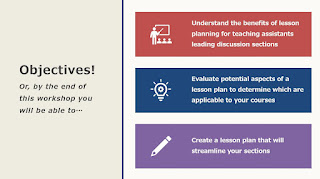
A slide reading: Objectives! Or, by the end of this workshop you will be able to…Understand the benefits of lesson planning for teaching assistants leading discussion sections; Evaluate potential aspects of a lesson plan to determine which are applicable to your courses; Create a lesson plan that will streamline your sections

  • Flashback Post: My Approach to the Lesson Plan - in preparation for a CITL workshop on Lesson Planning for Discussion Sections (a topic that everyone running a discusion section seems to want help with but which is rarely treated), I revisited an old post about lesson planning. 
    An image of text: Screen readers can't read this text because it's embedded in an image."
  • Pedagogical Possibilities: Quick Accessibility Tips for Text- After taking several online courses in accessibility in teaching and web design, I realized that that the tips offered tended not to be a part of the curriculum for developing teachers that I knew. This post set out to give some easy, quick pointers about making text a little more accessible, based on what I had most often observed in history courses. 
Collage of images related to portfolio content, including book and periodical covers, screenshots of workshops and technology

  • Current Project: Portfolio PageAs I geared up job searching in earnest, I wanted to find a way to bring some of my work that was publicly available together in one convenient place, so that I might be able to showcase various pieces without suggesting employers look through the entire history of my blog or click links in my resume. The portfolio page I created here became a standard page on Lesson Spotted that I update periodically.
Empty desks and chairs in a classroom

  • Current Project: History SoTL and Diversity, Equity, and InclusionMy final piece of work as a graduate student, this post is a reflection on how scholarship on history teaching and learning treats DEI issues and suggests paths that could be fruitfully explored in the field. Submitted as part of my application for the Teacher Scholar Certificate at CITL.  
Sad or overwhelmed Black man in white shirt, with hands on head, in front of laptop.
Downtown Chicago
  • Current Project: Life UpdatesPerhaps the most dramatic post of 2021, I talked about my new position as a Faculty Engagement Specialist, starting a new phase of my life and career. 
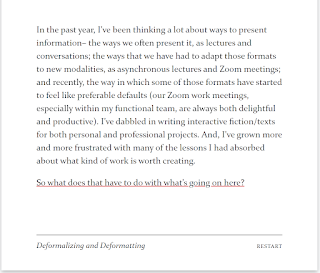
Screenshot of the Twine post "Deformalizing and Deformatting"
  • Enough About Me: Deformalizing and Deformatting- As my interests and my daily activities changed, I have become more and more fascinated by using ways of communicating ideas that change my perspective simply by forcing me to reckon with medium rather than just a message. This post was an experiment in following that idea to a logical end: what if instead of writing a post about doing that, I made a post that was that? 
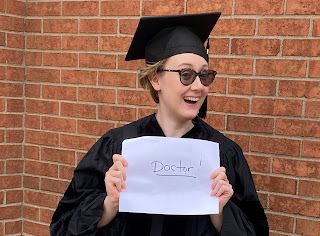
Me wearing a graduation cap and gown and holding a piece of paper that says "Doctor!"
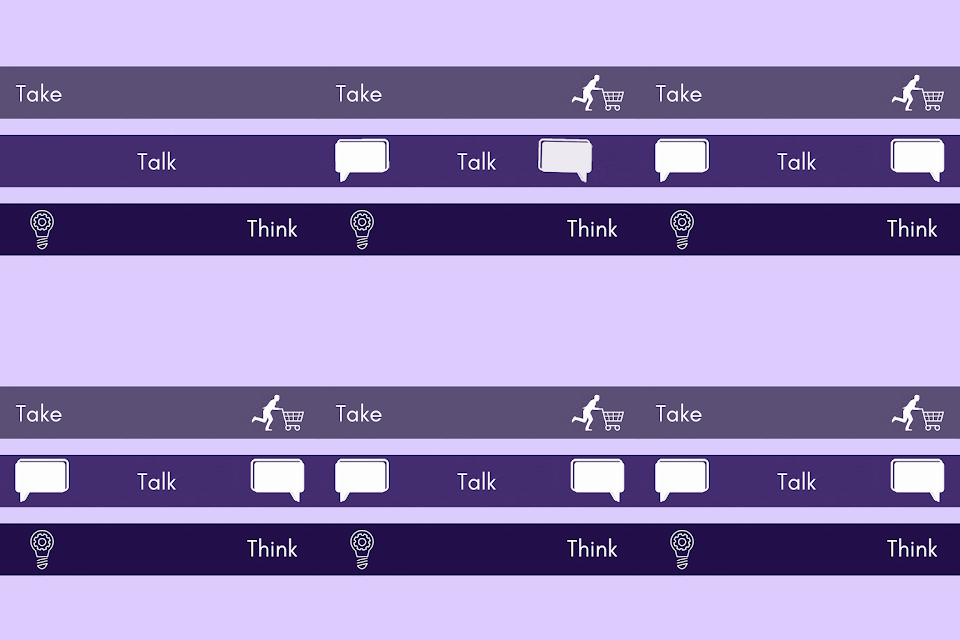
A gif infographic listing my three approaches to career development-- Take, Talk, and Think

Fewer posts this year than last, but decidedly more upheaval; overall, a list of posts I think encapsulates the year gone by. Many posts center on life and career events, with only two posts I would characterize as outside of that dynamic. Looking ahead, I'd love to make an interactive year in review for next year. Here's to seeing what Lessons are there to be Spotted in the year to come!